Rethinking assessment with ThingLink
Author: Amber Lovell
At Skolon, our vision is that digital learning should be possible for everyone and to enable this, we partner with some of the best tools around who share the same vision as us. One of those tools is ThingLink, who are rethinking something that’s dreaded worldover – assessments.
Recently, ThingLink published a blog that delved into the way one of their users, Bayly DiPilato, an English teacher at Atlantic County Institute of Technology in New Jersey, USA challenged her students to take their literary research beyond the traditional research essay
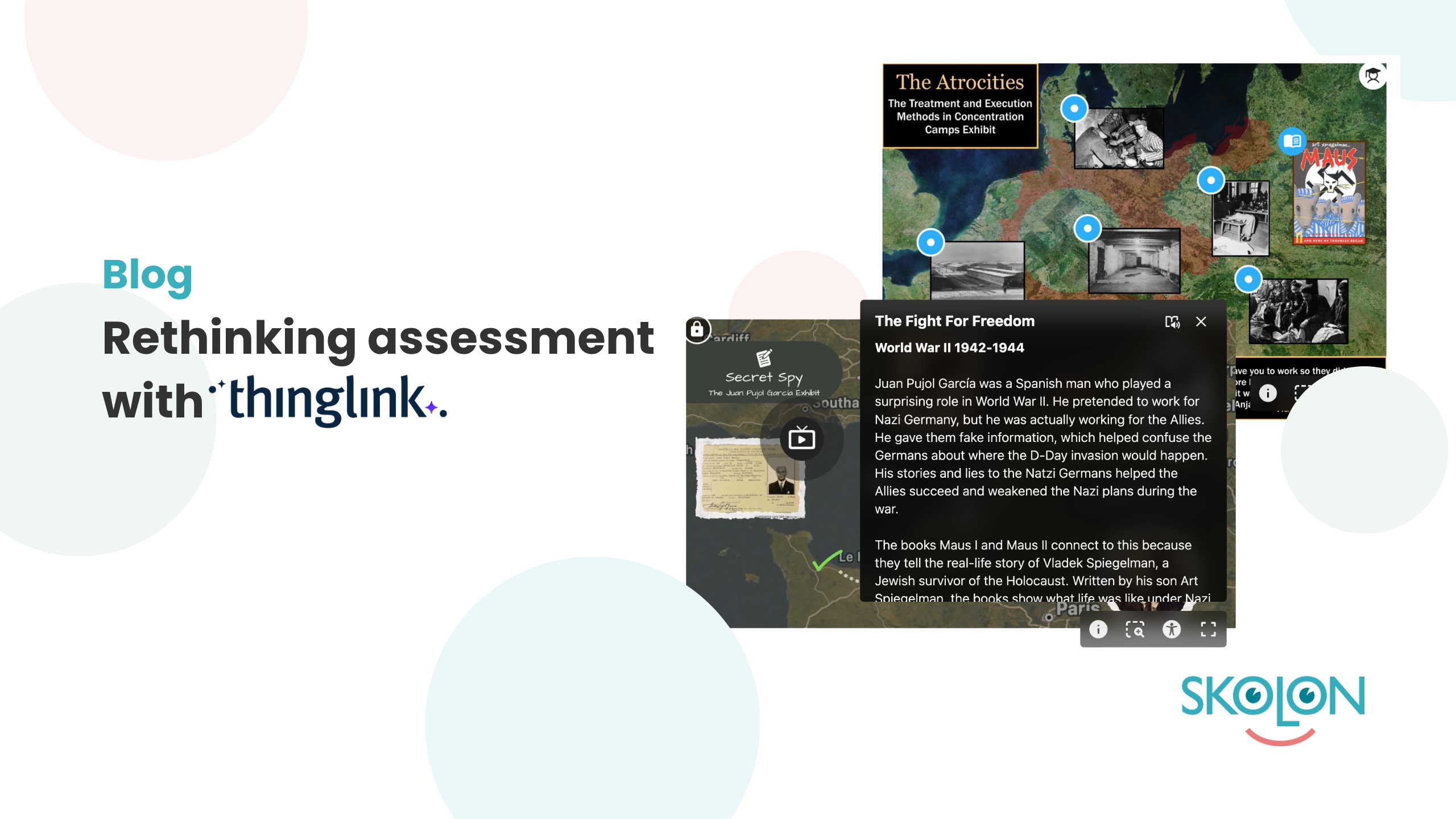
Instead, students spent seven weeks creating interactive digital museum exhibits using ThingLink.
The result?
An engaging project that brought together literary analysis, historical research, creativity and digital skills in one meaningful assessment.
Turning research into something students can explore
Students began with texts they had studied through book clubs, including Fahrenheit 451, I Am Malala, Fences and Maus I–II. They then explored historical themes connected to inequality and justice, using their research to create really cool and insightful interactive exhibits around their chosen topics.
Then, instead of simply submitting their findings, Bayly’s students designed an experience for someone else to explore.
Using Canva, another partner of ours, and ThingLink, they created visual anchor images, organised their research and collated it all together into interactive digital spaces. Videos, images, citations and other resources could be embedded directly into the exhibits, allowing visitors to explore the research at their own pace.
Supporting creativity with structure
A project of this scale has the propensity to easily become overwhelming, particularly for students who are less confident or motivated. That’s why scaffolding was central to the approach.
The seven-week project was broken down into manageable chunks, with students receiving technical guidance, peer feedback and teacher support every step of the way. The project culminated in a gallery walk, where students showcased their finished exhibits and explored their classmates’ work.
Therefore, this structure gave students the freedom to be creative while still keeping the learning objectives firmly at the centre.
ThingLink is more than a digital alternative
The project demonstrated how digital tools can change not just how students present their learning, but more importantly, how they engage with it.
Students developed skills in research, academic citation, visual communication, multimedia creation and digital design during this task, plus, they also had the chance to reflect on their own work and give structured feedback to their peers.
Most importantly, students had ownership over what they created. For some, that meant turning an assessment that might otherwise have felt like “just another essay” into something they could genuinely feel proud of.
A different way to showcase learning
Digital exhibits like these highlight the potential of technology to make learning more visible, interactive and shareable.
And the project doesn’t have to stop at the classroom door. Bayly’s future plans include placing QR codes around the school, allowing the wider school community to explore the students’ work.
It’s a great example of how the right digital tool, combined with thoughtful teaching and effective scaffolding, can create learning experiences that go beyond the traditional assessment.
Bring ThingLink into your classroom with Skolon
Ready to transform your own assessments? You can easily find ThingLink right now in the Skolon Store alongside thousands of other digital educational tools.
Via Skolon, you can use our built-in demo function to try ThingLink out yourself, or alongside your students, with just a single click. When you’re ready to make it a permanent part of your teaching toolkit, purchasing licenses is straightforward and seamless.
Best of all? Thanks to our ‘automagic’ assignment, there’s no manual hassle or long waiting times; once purchased, ThingLink is instantly delivered directly to your and your students’ “My Collection,” giving everyone immediate, secure access via single sign-on.
Want to see the full project and explore the students’ interactive exhibits?
Read the full story from our partner, ThingLink, to discover how Bayly designed the project, supported her students and brought their research to life.
This is Skolon – we gather the best digital educational tools and make them work in the classroom.
Skolon is an independent platform for digital educational tools and learning resources, created for both teachers and students. With Skolon, accessing and using your digital educational tools is easy – security increases, administration decreases, and there’s more time for learning.
The digital educational tools come from both small and large providers, all of whom have one thing in common – they create digital educational tools that are beneficial for the school environment.
Information
Author: Amber Lovell
Share this story
Subscribe
Would you like our newest articles delivered to your inbox? Sign up now!
At Skolon, our vision is that digital learning should be possible for everyone and to enable this, we partner with some of the best tools around who share the same vision as us. One of those tools is ThingLink, who are rethinking something that’s dreaded worldover – assessments.
Recently, ThingLink published a blog that delved into the way one of their users, Bayly DiPilato, an English teacher at Atlantic County Institute of Technology in New Jersey, USA challenged her students to take their literary research beyond the traditional research essay
Instead, students spent seven weeks creating interactive digital museum exhibits using ThingLink.
The result?
An engaging project that brought together literary analysis, historical research, creativity and digital skills in one meaningful assessment.
Turning research into something students can explore
Students began with texts they had studied through book clubs, including Fahrenheit 451, I Am Malala, Fences and Maus I–II. They then explored historical themes connected to inequality and justice, using their research to create really cool and insightful interactive exhibits around their chosen topics.
Then, instead of simply submitting their findings, Bayly’s students designed an experience for someone else to explore.
Using Canva, another partner of ours, and ThingLink, they created visual anchor images, organised their research and collated it all together into interactive digital spaces. Videos, images, citations and other resources could be embedded directly into the exhibits, allowing visitors to explore the research at their own pace.
Supporting creativity with structure
A project of this scale has the propensity to easily become overwhelming, particularly for students who are less confident or motivated. That’s why scaffolding was central to the approach.
The seven-week project was broken down into manageable chunks, with students receiving technical guidance, peer feedback and teacher support every step of the way. The project culminated in a gallery walk, where students showcased their finished exhibits and explored their classmates’ work.
Therefore, this structure gave students the freedom to be creative while still keeping the learning objectives firmly at the centre.
ThingLink is more than a digital alternative
The project demonstrated how digital tools can change not just how students present their learning, but more importantly, how they engage with it.
Students developed skills in research, academic citation, visual communication, multimedia creation and digital design during this task, plus, they also had the chance to reflect on their own work and give structured feedback to their peers.
Most importantly, students had ownership over what they created. For some, that meant turning an assessment that might otherwise have felt like “just another essay” into something they could genuinely feel proud of.
A different way to showcase learning
Digital exhibits like these highlight the potential of technology to make learning more visible, interactive and shareable.
And the project doesn’t have to stop at the classroom door. Bayly’s future plans include placing QR codes around the school, allowing the wider school community to explore the students’ work.
It’s a great example of how the right digital tool, combined with thoughtful teaching and effective scaffolding, can create learning experiences that go beyond the traditional assessment.
Bring ThingLink into your classroom with Skolon
Ready to transform your own assessments? You can easily find ThingLink right now in the Skolon Store alongside thousands of other digital educational tools.
Via Skolon, you can use our built-in demo function to try ThingLink out yourself, or alongside your students, with just a single click. When you’re ready to make it a permanent part of your teaching toolkit, purchasing licenses is straightforward and seamless.
Best of all? Thanks to our ‘automagic’ assignment, there’s no manual hassle or long waiting times; once purchased, ThingLink is instantly delivered directly to your and your students’ “My Collection,” giving everyone immediate, secure access via single sign-on.
Want to see the full project and explore the students’ interactive exhibits?
Read the full story from our partner, ThingLink, to discover how Bayly designed the project, supported her students and brought their research to life.
This is Skolon – we gather the best digital educational tools and make them work in the classroom.
Skolon is an independent platform for digital educational tools and learning resources, created for both teachers and students. With Skolon, accessing and using your digital educational tools is easy – security increases, administration decreases, and there’s more time for learning.
The digital educational tools come from both small and large providers, all of whom have one thing in common – they create digital educational tools that are beneficial for the school environment.
Share this story
Subscribe
Would you like our newest articles delivered to your inbox? Sign up now!