Access vs. independence: Why a “read aloud” button isn’t enough
Author: Amber Lovell
When we were kids, our eyes always wandered off to something fluffy, colourful or shiny and as adults, we’re not immune to this… it’s a part of life we can’t outgrow which is partly why picking digital tools is tricky.
We’ve all seen it: a digital platform with a play button beside a block of text, indicating that text to speech is available. That’s an important first step towards accessibility, but it’s only part of the picture.
Ask any Special Educational Needs Coordinator (SENCO), teacher or learner, and they’ll tell you that independent learning requires more than simply listening to text. Learners also need tools that help them understand, interact with and study content in ways that match their individual needs best. Text to speech is most effective when it’s part of a broader accessibility ecosystem that supports learners throughout their educational journey.
There is a disconnect between access and learner independence.
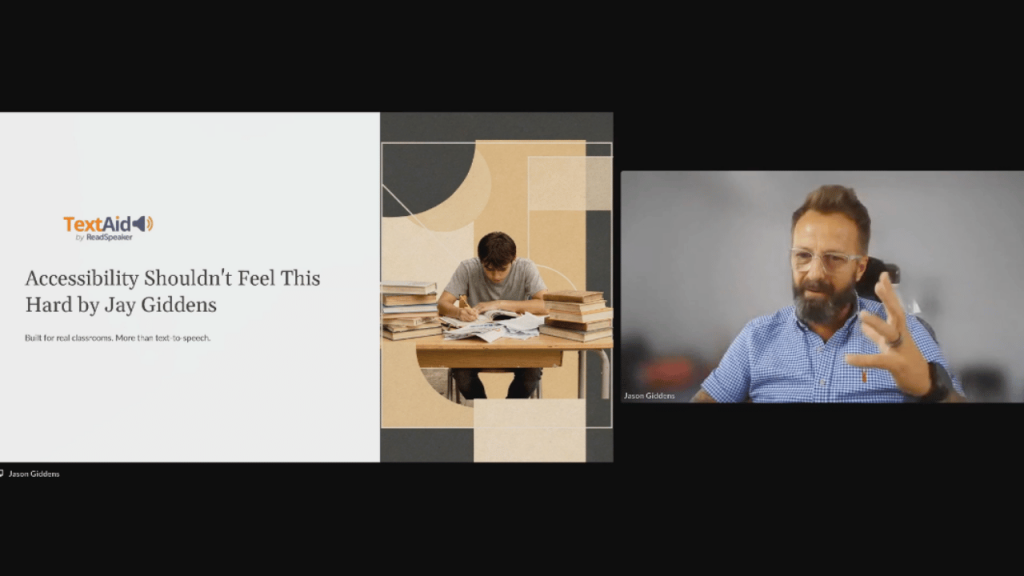
As Jason “Jay” Giddens from ReadSpeaker pointed out during a recent webinar Skolon & ReadSpeaker hosted together, schools can often assume that basic text to speech alone is sufficient to support independent learning.
“Schools that already have some form of text to speech still have learners who may struggle with confidence, revision, focus, and independence,” Jay warns.
“Having a listen button that reads text aloud doesn’t automatically mean a learner can study independently, revise confidently, or cope consistently in exams.”
If we want to truly support all learners, including neurodivergent learners, we have to move past the bare-minimum “read aloud” button and look at the bigger picture. Supporting independent learning requires more than text to speech alone. It means giving learners the tools to engage with content in the ways that work best for them, both in the classroom and beyond.
The illusion of accessibility: The challenge of free and fragmented tools
“Free tools are mentioned a lot right now,” Jason went on to note, “However, free doesn’t always mean low cost; they give you the bare minimum and can push the hidden operational costs onto staff setup time, exam preparation, and troubleshooting.”
On paper, free tools tick the compliance box, yet in reality, they create a fragmented, inconsistent learning environment.
When accessibility support doesn’t follow the learner, it becomes inconsistent across devices, platforms and learning environments. Consistency is essential for building confidence and supporting independent learning.
For instance, looking at a typical school week: a student might use an iPad in one class, a Chromebook in another, a Windows PC in the library, and a shared family laptop at home.
This fragmentation can cause a domino effect for all involved in learning:
- For students: Inconsistent access to the right tools can increase cognitive load, contribute to text overwhelm, and undermine confidence. If learners are constantly having to relearn how to access those tools on different devices, they can end up spending more energy navigating technology than engaging with the curriculum.
- For teachers: Teachers are forced to become tech-support troubleshooters instead of educators, eating into valuable teaching time and taking learning away from all in the class.
- For parents: Families often find themselves stepping in to read, write or troubleshoot technology outside school hours. While that support is invaluable, learners should have the tools to work independently whenever possible
True accessibility shouldn’t feel like hard work. It should reduce friction, feel natural, build confidence, and give learners consistent, independent access to the tools they need – wherever learning takes place.
The exam-room breaking point
The ultimate test of any accessibility strategy is exam day. Many standard text-to-speech solutions cannot operate within secure, locked-down exam browsers. When a school relies on these rigid tools, they are often faced with exam logistical challenges: isolating the student in a separate room, asking remote students to present in person, or provide a human reader to read the exam paper aloud.
“Students should not meet their accessibility support tool for the first time on exam day; familiarity builds confidence and reduces anxiety,” Jason explained during the 45 minute session.
When a student uses a cloud-based text to speech solution for daily classroom reading, homework, and formal assessments, the tool becomes invisible. This dramatically cuts down on school panic.
“We (ReadSpeaker) had one school set up three simultaneous exams in just seven minutes,” Jay shared.
Beyond text-to-speech: The modern support ecosystem
Neurodivergent learners, including those with dyslexia, ADHD and processing differences, often benefit from more than a single accessibility feature. Building independence means providing a flexible set of tools that adapts to different tasks, learning environments and individual needs.
Many of these same tools also benefit multilingual learners, students with temporary learning needs, and anyone who benefits from having more than one way to engage with content
To achieve true independence, a modern learner benefits from a browser-based toolkit that includes:
- Optical character recognition (OCR): The ability to snap a photo of a physical worksheet, a textbook, or a poster on a wall and instantly have it converted into readable, spoken text.
- Dictation (speech-to-text): For students who can articulate brilliant ideas verbally but struggle with the cognitive load of physically typing or writing them down.
- Translation and spelling support: Crucial for English as an Additional Language (EAL) learners and those struggling with literacy to bridge the gap between comprehension and expression.
- Revision reinforcement: Tools that allow highlights, notes, and audio files to be saved into a personal digital library, transforming passive listening into active studying.
Normalising the accessibility toolkit
Years ago, using a scientific calculator in a math exam was seen as a cheat or a luxury; today, it’s a standard, normalised tool. It’s a given that we need the same cultural shift for cognitive accessibility tools.
When accessibility is embedded in the browser and follows the learner rather than the device, it becomes part of everyday learning. Students use the same familiar tools in the classroom, at home and during assessments, building confidence through consistency.
The goal of educational technology isn’t simply to make content accessible. It’s to help learners engage with it confidently and independently. As a professor from Bath University recently shared with Jason:
“The best accessibility solutions reduce operational pressure while improving learner independence.”
Ergo, when we shift our focus from access to independence, we don’t just help learners access content or be more confident going into exams, – we give them the confidence to thrive.
Want to learn more about supporting learner independence through accessible technology?
Explore ReadSpeaker’s comprehensive text-to-speech solution have to offer today and watch the conversation in full. Use the button below to catch up on the full webinar recording and hear more of Jason’s insights.
This is Skolon – we gather the best digital educational tools and make them work in the classroom.
Skolon is an independent platform for digital educational tools and learning resources, created for both teachers and students. With Skolon, accessing and using your digital educational tools is easy – security increases, administration decreases, and there’s more time for learning.
The digital educational tools come from both small and large providers, all of whom have one thing in common – they create digital educational tools that are beneficial for the school environment.
Information
Author: Amber Lovell
Share this story
Subscribe
Would you like our newest articles delivered to your inbox? Sign up now!
When we were kids, our eyes always wandered off to something fluffy, colourful or shiny and as adults, we’re not immune to this… it’s a part of life we can’t outgrow which is partly why picking digital tools is tricky.
We’ve all seen it: a digital platform with a play button beside a block of text, indicating that text to speech is available. That’s an important first step towards accessibility, but it’s only part of the picture.
Ask any Special Educational Needs Coordinator (SENCO), teacher or learner, and they’ll tell you that independent learning requires more than simply listening to text. Learners also need tools that help them understand, interact with and study content in ways that match their individual needs best. Text to speech is most effective when it’s part of a broader accessibility ecosystem that supports learners throughout their educational journey.
There is a disconnect between access and learner independence.
As Jason “Jay” Giddens from ReadSpeaker pointed out during a recent webinar Skolon & ReadSpeaker hosted together, schools can often assume that basic text to speech alone is sufficient to support independent learning.
“Schools that already have some form of text to speech still have learners who may struggle with confidence, revision, focus, and independence,” Jay warns.
“Having a listen button that reads text aloud doesn’t automatically mean a learner can study independently, revise confidently, or cope consistently in exams.”
If we want to truly support all learners, including neurodivergent learners, we have to move past the bare-minimum “read aloud” button and look at the bigger picture. Supporting independent learning requires more than text to speech alone. It means giving learners the tools to engage with content in the ways that work best for them, both in the classroom and beyond.
The illusion of accessibility: The challenge of free and fragmented tools
“Free tools are mentioned a lot right now,” Jason went on to note, “However, free doesn’t always mean low cost; they give you the bare minimum and can push the hidden operational costs onto staff setup time, exam preparation, and troubleshooting.”
On paper, free tools tick the compliance box, yet in reality, they create a fragmented, inconsistent learning environment.
When accessibility support doesn’t follow the learner, it becomes inconsistent across devices, platforms and learning environments. Consistency is essential for building confidence and supporting independent learning.
For instance, looking at a typical school week: a student might use an iPad in one class, a Chromebook in another, a Windows PC in the library, and a shared family laptop at home.
This fragmentation can cause a domino effect for all involved in learning:
- For students: Inconsistent access to the right tools can increase cognitive load, contribute to text overwhelm, and undermine confidence. If learners are constantly having to relearn how to access those tools on different devices, they can end up spending more energy navigating technology than engaging with the curriculum.
- For teachers: Teachers are forced to become tech-support troubleshooters instead of educators, eating into valuable teaching time and taking learning away from all in the class.
- For parents: Families often find themselves stepping in to read, write or troubleshoot technology outside school hours. While that support is invaluable, learners should have the tools to work independently whenever possible
True accessibility shouldn’t feel like hard work. It should reduce friction, feel natural, build confidence, and give learners consistent, independent access to the tools they need – wherever learning takes place.
The exam-room breaking point
The ultimate test of any accessibility strategy is exam day. Many standard text-to-speech solutions cannot operate within secure, locked-down exam browsers. When a school relies on these rigid tools, they are often faced with exam logistical challenges: isolating the student in a separate room, asking remote students to present in person, or provide a human reader to read the exam paper aloud.
“Students should not meet their accessibility support tool for the first time on exam day; familiarity builds confidence and reduces anxiety,” Jason explained during the 45 minute session.
When a student uses a cloud-based text to speech solution for daily classroom reading, homework, and formal assessments, the tool becomes invisible. This dramatically cuts down on school panic.
“We (ReadSpeaker) had one school set up three simultaneous exams in just seven minutes,” Jay shared.
Beyond text-to-speech: The modern support ecosystem
Neurodivergent learners, including those with dyslexia, ADHD and processing differences, often benefit from more than a single accessibility feature. Building independence means providing a flexible set of tools that adapts to different tasks, learning environments and individual needs.
Many of these same tools also benefit multilingual learners, students with temporary learning needs, and anyone who benefits from having more than one way to engage with content
To achieve true independence, a modern learner benefits from a browser-based toolkit that includes:
- Optical character recognition (OCR): The ability to snap a photo of a physical worksheet, a textbook, or a poster on a wall and instantly have it converted into readable, spoken text.
- Dictation (speech-to-text): For students who can articulate brilliant ideas verbally but struggle with the cognitive load of physically typing or writing them down.
- Translation and spelling support: Crucial for English as an Additional Language (EAL) learners and those struggling with literacy to bridge the gap between comprehension and expression.
- Revision reinforcement: Tools that allow highlights, notes, and audio files to be saved into a personal digital library, transforming passive listening into active studying.
Normalising the accessibility toolkit
Years ago, using a scientific calculator in a math exam was seen as a cheat or a luxury; today, it’s a standard, normalised tool. It’s a given that we need the same cultural shift for cognitive accessibility tools.
When accessibility is embedded in the browser and follows the learner rather than the device, it becomes part of everyday learning. Students use the same familiar tools in the classroom, at home and during assessments, building confidence through consistency.
The goal of educational technology isn’t simply to make content accessible. It’s to help learners engage with it confidently and independently. As a professor from Bath University recently shared with Jason:
“The best accessibility solutions reduce operational pressure while improving learner independence.”
Ergo, when we shift our focus from access to independence, we don’t just help learners access content or be more confident going into exams, – we give them the confidence to thrive.
Want to learn more about supporting learner independence through accessible technology?
Explore ReadSpeaker’s comprehensive text-to-speech solution have to offer today and watch the conversation in full. Use the button below to catch up on the full webinar recording and hear more of Jason’s insights.
This is Skolon – we gather the best digital educational tools and make them work in the classroom.
Skolon is an independent platform for digital educational tools and learning resources, created for both teachers and students. With Skolon, accessing and using your digital educational tools is easy – security increases, administration decreases, and there’s more time for learning.
The digital educational tools come from both small and large providers, all of whom have one thing in common – they create digital educational tools that are beneficial for the school environment.
Share this story
Subscribe
Would you like our newest articles delivered to your inbox? Sign up now!