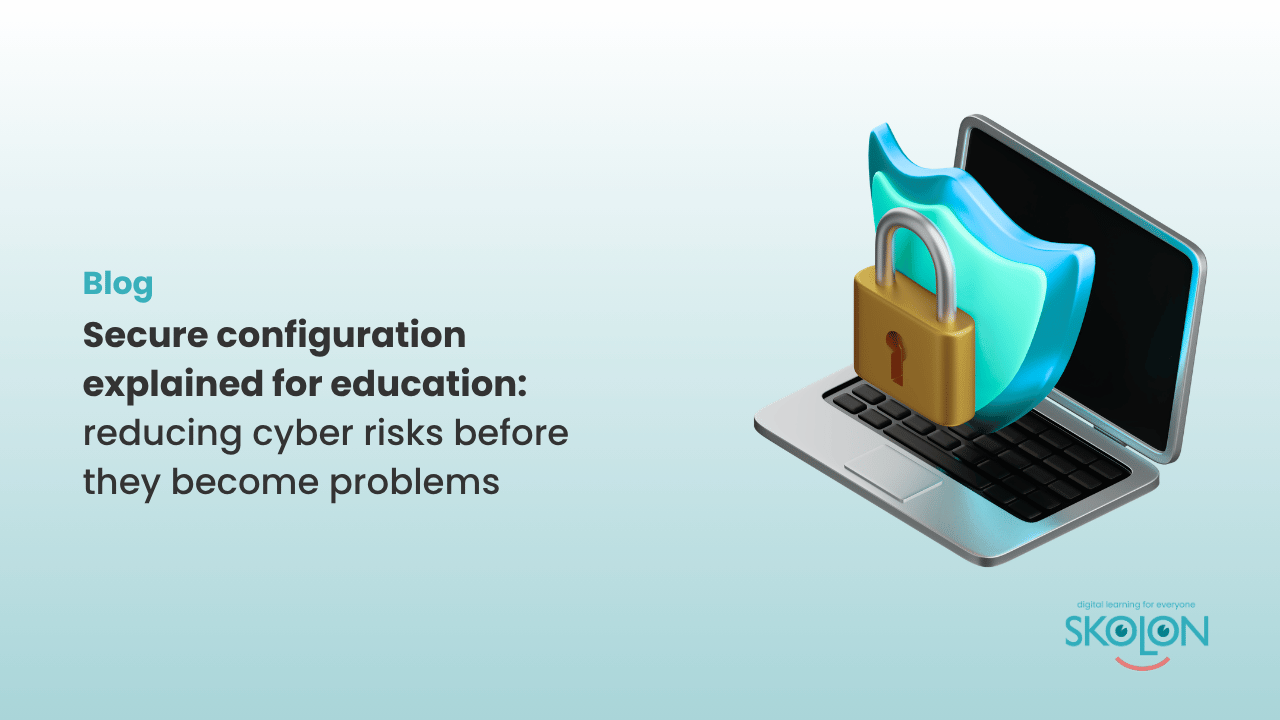
Secure configuration explained for education: reducing cyber risks before they become problems
Author: Amber Lovell
If we learnt anything during the pandemic, it was that prevention is better than cure and the same rules apply to cyber security too. It isn’t just about responding to threats – it’s about preventing them in the first place.
That’s the principle behind secure configuration, one of the five technical controls in the UK’s Cyber Essentials scheme. By ensuring devices, software and user accounts are securely configured from the outset, schools and trusts can significantly reduce their exposure to common cyber attacks.
Whether you’re managing a single primary school or a large multi-academy trust, secure configuration is genuinely one of the simplest ways to strengthen your cyber security posture.
What is secure configuration?
When a new device, be it a laptop, server, tablet or online service is first set up, it’s often supplied with default settings designed to get users up and running quickly. While convenient, unfortunately these default configurations aren’t always the most secure.
Secure configuration means checking out the settings and making sure systems are configured to minimise unnecessary risk. This includes removing features that aren’t needed, changing default passwords, limiting access to only those who require it, and ensuring devices are configured in line with your organisation’s security policies.
In short, it’s basically about making sure your technology is set up safely before it’s used.
Why is secure configuration important for schools and trusts?
Schools and MATs rely on a wide range of software and hardware every day.
Staff laptops, classroom PCs, pupil devices, interactive displays, cloud applications and management systems all form part of the school’s digital environment.
The more technology used, the greater the need for consistency.
A good (well, bad) example would be a device that’s incorrectly configured or an account that’s been left active after a member of staff has left can create opportunities for cyber criminals. Similarly, unnecessary software, unused licences or overly generous permissions can increase your school’s attack surface without anyone realising.
By following secure configuration principles, schools and MATs can subsequently reduce these risks before they have the chance to become vulnerabilities.
Removing unused accounts
One of the most overlooked aspects of secure configuration is managing user accounts.
Every account that exists within your digital environment represents a potential entry point. If accounts belonging to former staff, pupils or temporary users remain active after they’re no longer needed, they can become an unnecessary security risk.
Schools should regularly review user accounts and remove or disable those that are no longer required. This is particularly important during staff changes, pupil transitions and the start or end of the academic year.
Having a clear process for managing joiners, leavers, movers and shakers helps to ensure that users only retain access for as long as they need it.
Using secure defaults
Many cyber attacks exploit systems that are still using their default settings.
Changing default passwords, disabling unnecessary services, restricting administrator access and enabling security features from the outset all contribute to a more secure environment.
The principle is quite simple: if a feature isn’t needed, disable it. If a user doesn’t require access, don’t grant it.
Starting from a secure baseline makes it much harder for attackers to find weaknesses to exploit.
Configuring devices securely
Every device connected to your school’s network should be configured consistently, which includes installing only approved software, keeping operating systems supported, applying security policies, encrypting devices where appropriate and ensuring security settings can’t easily be bypassed.
For schools and MATs managing hundreds or even thousands of devices across multiple sites, consistency is absolutely essential. Centralised management tools can help IT teams apply the same standards across all devices, reducing the likelihood of configuration errors.
Secure configuration and Cyber Essentials
As one of the five components within Cyber Essentials, secure configuration focuses on ensuring devices and software are set up to minimise vulnerabilities.
This includes:
These measures don’t require expensive technology, but they do require consistent processes and good governance.
Where does Skolon fit in?
While Skolon doesn’t configure your school’s devices or network infrastructure, it can help simplify one of the most important aspects of secure configuration: managing user access to digital services.
Through integration with your school’s identity provider and management information system (MIS), Skolon helps automate the creation, updating and removal of user accounts as pupils and staff join, move or leave your organisation. This reduces the likelihood of forgotten accounts remaining active and helps ensure users only have access to the digital resources appropriate to their role.
Skolon also provides a centralised platform for accessing approved digital learning tools, making it easier for schools to manage which applications are available to users without requiring separate accounts for every service.
By reducing unnecessary complexity and supporting consistent identity management, Skolon complements the wider principles of secure configuration while helping schools create a safer and more manageable digital learning environment.
Good security starts with good foundations
Secure configuration isn’t about making technology more complicated. It’s about making sure the systems your school relies on are set up safely from day one.
When combined with strong identity management, regular software updates and effective user access controls, secure configuration helps reduce risk, improve resilience and support a safer learning environment for pupils and staff alike.
In the next blog in this series, we’ll explore the User Access Control element and why managing who has access to what is one of the most important aspects of Cyber Essentials for schools and multi-academy trusts.
This is Skolon – we gather the best digital educational tools and make them work in the classroom.
Skolon is an independent platform for digital educational tools and learning resources, created for both teachers and students. With Skolon, accessing and using your digital educational tools is easy – security increases, administration decreases, and there’s more time for learning.
The digital educational tools come from both small and large providers, all of whom have one thing in common – they create digital educational tools that are beneficial for the school environment.
Information
Author: Amber Lovell
Share this story
Subscribe
Would you like our newest articles delivered to your inbox? Sign up now!
If we learnt anything during the pandemic, it was that prevention is better than cure and the same rules apply to cyber security too. It isn’t just about responding to threats – it’s about preventing them in the first place.
That’s the principle behind secure configuration, one of the five technical controls in the UK’s Cyber Essentials scheme. By ensuring devices, software and user accounts are securely configured from the outset, schools and trusts can significantly reduce their exposure to common cyber attacks.
Whether you’re managing a single primary school or a large multi-academy trust, secure configuration is genuinely one of the simplest ways to strengthen your cyber security posture.
What is secure configuration?
When a new device, be it a laptop, server, tablet or online service is first set up, it’s often supplied with default settings designed to get users up and running quickly. While convenient, unfortunately these default configurations aren’t always the most secure.
Secure configuration means checking out the settings and making sure systems are configured to minimise unnecessary risk. This includes removing features that aren’t needed, changing default passwords, limiting access to only those who require it, and ensuring devices are configured in line with your organisation’s security policies.
In short, it’s basically about making sure your technology is set up safely before it’s used.
Why is secure configuration important for schools and trusts?
Schools and MATs rely on a wide range of software and hardware every day.
Staff laptops, classroom PCs, pupil devices, interactive displays, cloud applications and management systems all form part of the school’s digital environment.
The more technology used, the greater the need for consistency.
A good (well, bad) example would be a device that’s incorrectly configured or an account that’s been left active after a member of staff has left can create opportunities for cyber criminals. Similarly, unnecessary software, unused licences or overly generous permissions can increase your school’s attack surface without anyone realising.
By following secure configuration principles, schools and MATs can subsequently reduce these risks before they have the chance to become vulnerabilities.
Removing unused accounts
One of the most overlooked aspects of secure configuration is managing user accounts.
Every account that exists within your digital environment represents a potential entry point. If accounts belonging to former staff, pupils or temporary users remain active after they’re no longer needed, they can become an unnecessary security risk.
Schools should regularly review user accounts and remove or disable those that are no longer required. This is particularly important during staff changes, pupil transitions and the start or end of the academic year.
Having a clear process for managing joiners, leavers, movers and shakers helps to ensure that users only retain access for as long as they need it.
Using secure defaults
Many cyber attacks exploit systems that are still using their default settings.
Changing default passwords, disabling unnecessary services, restricting administrator access and enabling security features from the outset all contribute to a more secure environment.
The principle is quite simple: if a feature isn’t needed, disable it. If a user doesn’t require access, don’t grant it.
Starting from a secure baseline makes it much harder for attackers to find weaknesses to exploit.
Configuring devices securely
Every device connected to your school’s network should be configured consistently, which includes installing only approved software, keeping operating systems supported, applying security policies, encrypting devices where appropriate and ensuring security settings can’t easily be bypassed.
For schools and MATs managing hundreds or even thousands of devices across multiple sites, consistency is absolutely essential. Centralised management tools can help IT teams apply the same standards across all devices, reducing the likelihood of configuration errors.
Secure configuration and Cyber Essentials
As one of the five components within Cyber Essentials, secure configuration focuses on ensuring devices and software are set up to minimise vulnerabilities.
This includes:
These measures don’t require expensive technology, but they do require consistent processes and good governance.
Where does Skolon fit in?
While Skolon doesn’t configure your school’s devices or network infrastructure, it can help simplify one of the most important aspects of secure configuration: managing user access to digital services.
Through integration with your school’s identity provider and management information system (MIS), Skolon helps automate the creation, updating and removal of user accounts as pupils and staff join, move or leave your organisation. This reduces the likelihood of forgotten accounts remaining active and helps ensure users only have access to the digital resources appropriate to their role.
Skolon also provides a centralised platform for accessing approved digital learning tools, making it easier for schools to manage which applications are available to users without requiring separate accounts for every service.
By reducing unnecessary complexity and supporting consistent identity management, Skolon complements the wider principles of secure configuration while helping schools create a safer and more manageable digital learning environment.
Good security starts with good foundations
Secure configuration isn’t about making technology more complicated. It’s about making sure the systems your school relies on are set up safely from day one.
When combined with strong identity management, regular software updates and effective user access controls, secure configuration helps reduce risk, improve resilience and support a safer learning environment for pupils and staff alike.
In the next blog in this series, we’ll explore the User Access Control element and why managing who has access to what is one of the most important aspects of Cyber Essentials for schools and multi-academy trusts.
This is Skolon – we gather the best digital educational tools and make them work in the classroom.
Skolon is an independent platform for digital educational tools and learning resources, created for both teachers and students. With Skolon, accessing and using your digital educational tools is easy – security increases, administration decreases, and there’s more time for learning.
The digital educational tools come from both small and large providers, all of whom have one thing in common – they create digital educational tools that are beneficial for the school environment.
Share this story
Subscribe
Would you like our newest articles delivered to your inbox? Sign up now!