Your school has screens. Are they actually being used?
Author: Amber Lovell
Most schools have screens dotted around the building; but how many are actually making the most of them?
From outdated slideshows and long forgotten USB sticks, to screens that sit switched off, digital signage can easily become just another piece of technology that looks good on paper but never quite reaches its full potential.
That was one of the topics of conversation and challenges explored in our recent webinar with TrilbyTV, where Ben, Jen & Terri shared how schools can turn their screens into something much more useful: a simple, engaging way to communicate, celebrate achievements and bring the whole school community together.
From the webinar, we’ve recapped three key things worth taking away:
1. Give every screen a purpose
All screens have different purposes. For example, the screen in reception has a very different job from one in the staffroom or a busy school corridor. So why show the same content everywhere?
In reception, screens can welcome visitors, share school values and promote upcoming open days. In the staffroom, they can highlight CPD opportunities, important dates and staff recognition.
Around school? They can do anything from celebrating birthdays, highlighting pupil achievements, promoting clubs and sharing reminders.
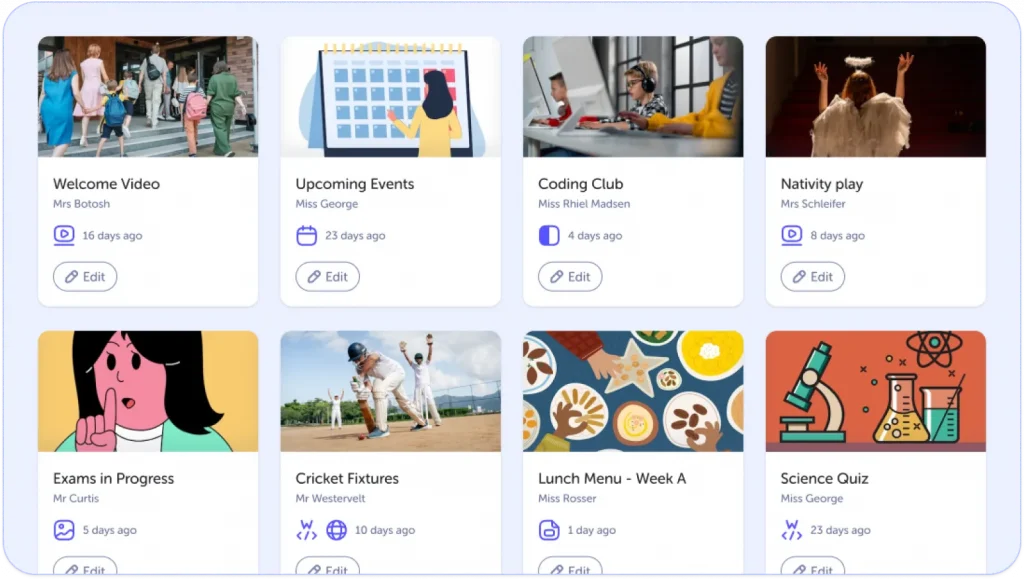
As the TrilbyTV team demonstrated, content can be scheduled to appear at specific times and on selected screens, helping schools get the right information in front of the right people at the right time.
It’s a small change that can make everyday communication much more effective.
2. Make communication more visible
It goes without saying that school staff are already juggling emails, Teams messages, meetings and countless other demands. Important information can easily get lost in the noise.
By making the most of the resources you already have in place, digital signage can offer yet another way to get messages noticed, particularly when they’re displayed in spaces people use every day.
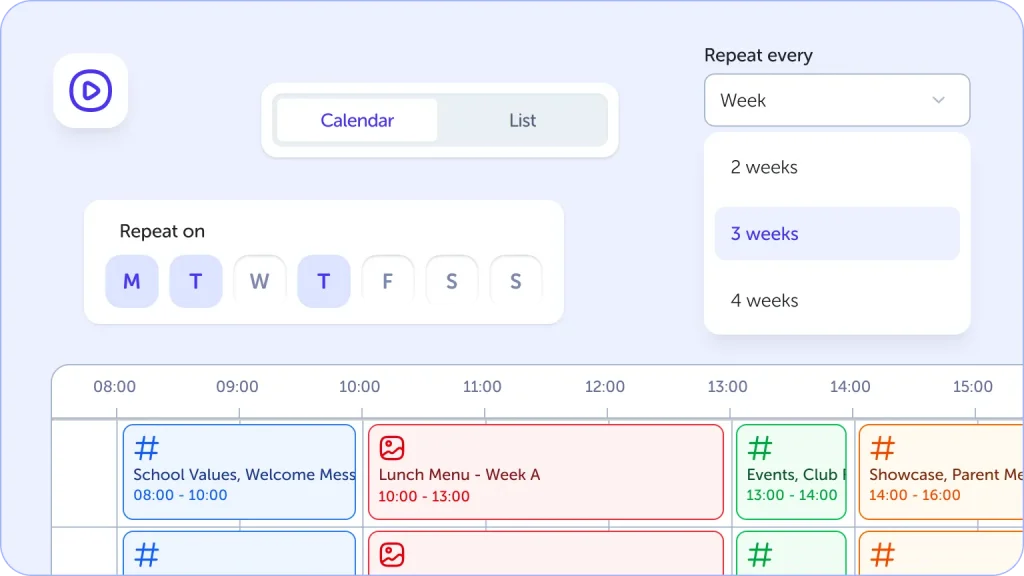
For multi-academy trusts, this can be especially useful. With components such as shared playlists, central teams can distribute key messages across multiple schools, helping create a more consistent approach to communication without relying on every school to recreate the same content.
Local teams can still use their own screens for relevant updates, while trust-wide messages can be shared centrally.
The result? A more connected approach to communication across the organisation.
3. You don’t need to create everything from scratch
One of the biggest concerns around introducing another digital tool is the extra workload it might create.
The good news is that digital signage doesn’t have to mean constantly designing new slides and updating every screen manually. The good folks at Trilby TV have that covered with ready-made templates, smart content and a content catalogue.
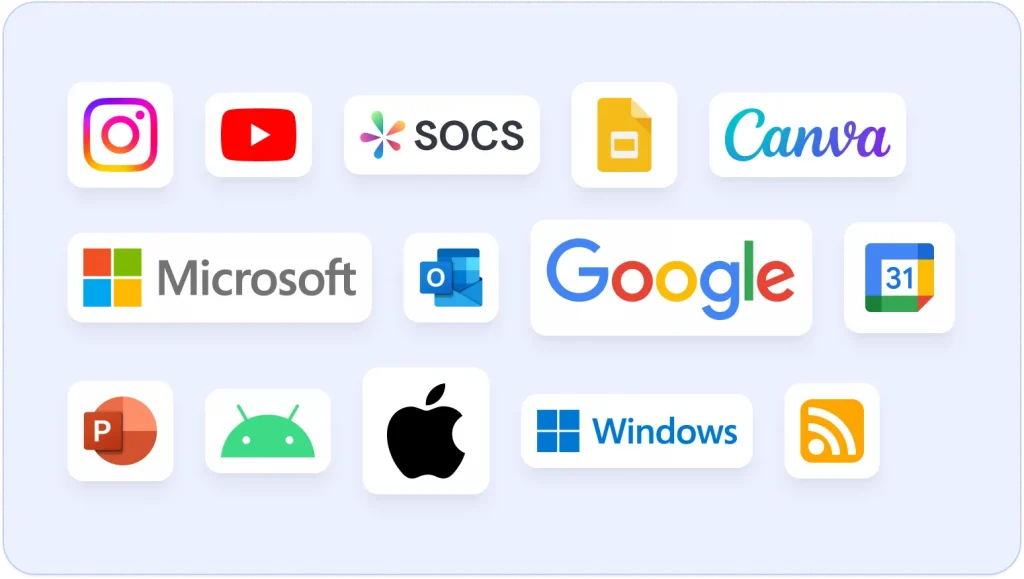
Plus, TrilbyTV has integrations with tools such as Canva and Google Slides, meaning schools can update existing content, schedule messages in advance and use templates to keep things looking fresh without starting from scratch every time.
Additionally, there’s also an opportunity to involve pupils and put them centre stage by showcasing their artwork, photography, presentations and other projects, giving them an audience beyond the classroom, celebrating their achievements and creating opportunities to develop digital skills.
And with content approval and permissions built in, schools can maintain oversight of what appears on their screens.
Digital signage that works for your school
The takeaway from our webinar was simple: digital signage should do more than fill a wall.
Used well, TrilbyTV can help schools communicate more effectively, celebrate the people who make them special and ensure important messages reach the communities they’re intended for.
TrilbyTV has been designed to make that process straightforward, working across different platforms and devices. Its player can also cache supported content, allowing it to continue playing when connectivity drops, although online content still requires an internet connection.
And you don’t need to commit to a whole new setup to see what’s possible.
Want to hear more?
Missed the webinar or want to revisit the conversation? Watch the full recording with Ben, Jen and Terri from TrilbyTV to hear more about making digital signage work harder for your school.
This is Skolon – we gather the best digital educational tools and make them work in the classroom.
Skolon is an independent platform for digital educational tools and learning resources, created for both teachers and students. With Skolon, accessing and using your digital educational tools is easy – security increases, administration decreases, and there’s more time for learning.
The digital educational tools come from both small and large providers, all of whom have one thing in common – they create digital educational tools that are beneficial for the school environment.
Information
Author: Amber Lovell
Share this story
Subscribe
Would you like our newest articles delivered to your inbox? Sign up now!
Most schools have screens dotted around the building; but how many are actually making the most of them?
From outdated slideshows and long forgotten USB sticks, to screens that sit switched off, digital signage can easily become just another piece of technology that looks good on paper but never quite reaches its full potential.
That was one of the topics of conversation and challenges explored in our recent webinar with TrilbyTV, where Ben, Jen & Terri shared how schools can turn their screens into something much more useful: a simple, engaging way to communicate, celebrate achievements and bring the whole school community together.
From the webinar, we’ve recapped three key things worth taking away:
1. Give every screen a purpose
All screens have different purposes. For example, the screen in reception has a very different job from one in the staffroom or a busy school corridor. So why show the same content everywhere?
In reception, screens can welcome visitors, share school values and promote upcoming open days. In the staffroom, they can highlight CPD opportunities, important dates and staff recognition.
Around school? They can do anything from celebrating birthdays, highlighting pupil achievements, promoting clubs and sharing reminders.
As the TrilbyTV team demonstrated, content can be scheduled to appear at specific times and on selected screens, helping schools get the right information in front of the right people at the right time.
It’s a small change that can make everyday communication much more effective.
2. Make communication more visible
It goes without saying that school staff are already juggling emails, Teams messages, meetings and countless other demands. Important information can easily get lost in the noise.
By making the most of the resources you already have in place, digital signage can offer yet another way to get messages noticed, particularly when they’re displayed in spaces people use every day.
For multi-academy trusts, this can be especially useful. With components such as shared playlists, central teams can distribute key messages across multiple schools, helping create a more consistent approach to communication without relying on every school to recreate the same content.
Local teams can still use their own screens for relevant updates, while trust-wide messages can be shared centrally.
The result? A more connected approach to communication across the organisation.
3. You don’t need to create everything from scratch
One of the biggest concerns around introducing another digital tool is the extra workload it might create.
The good news is that digital signage doesn’t have to mean constantly designing new slides and updating every screen manually. The good folks at Trilby TV have that covered with ready-made templates, smart content and a content catalogue.
Plus, TrilbyTV has integrations with tools such as Canva and Google Slides, meaning schools can update existing content, schedule messages in advance and use templates to keep things looking fresh without starting from scratch every time.
Additionally, there’s also an opportunity to involve pupils and put them centre stage by showcasing their artwork, photography, presentations and other projects, giving them an audience beyond the classroom, celebrating their achievements and creating opportunities to develop digital skills.
And with content approval and permissions built in, schools can maintain oversight of what appears on their screens.
Digital signage that works for your school
The takeaway from our webinar was simple: digital signage should do more than fill a wall.
Used well, TrilbyTV can help schools communicate more effectively, celebrate the people who make them special and ensure important messages reach the communities they’re intended for.
TrilbyTV has been designed to make that process straightforward, working across different platforms and devices. Its player can also cache supported content, allowing it to continue playing when connectivity drops, although online content still requires an internet connection.
And you don’t need to commit to a whole new setup to see what’s possible.
Want to hear more?
Missed the webinar or want to revisit the conversation? Watch the full recording with Ben, Jen and Terri from TrilbyTV to hear more about making digital signage work harder for your school.
This is Skolon – we gather the best digital educational tools and make them work in the classroom.
Skolon is an independent platform for digital educational tools and learning resources, created for both teachers and students. With Skolon, accessing and using your digital educational tools is easy – security increases, administration decreases, and there’s more time for learning.
The digital educational tools come from both small and large providers, all of whom have one thing in common – they create digital educational tools that are beneficial for the school environment.
Share this story
Subscribe
Would you like our newest articles delivered to your inbox? Sign up now!